Our Prices
With a membership, get free access to all our classes, exclusive socials, raffles & contests, merch deals, online content, and more!
Classes start September 21st.
Annual Membership
$65
- Valid for the entire 2026–2027 school year (Term 1 & Term 2)
- Free access to all our classes
- Exclusive socials, raffles & contests
- Merch deals & online content
Term Membership
$45
- Only joining us for one term? Get all the same perks for Term 1
- Free access to all our classes
- Exclusive socials, raffles & contests
- Merch deals & online content
Drop-In
$7 per class
- No membership required
- First-timers get their first class for free (valid for general classes only — not themed classes, collaborations, or special events/socials)
- Complete the Sign-In Form
Important: Complete Your Membership Form
After purchasing a membership, you'll receive a Google Form by email — you must complete it in order to join our classes. This form is also available on our Linktree.
Membership Form
Fill this out after purchasing your membership
Non-UBC Students
Not a UBC student? You're welcome too! Non-UBC memberships and drop-ins are priced at 1.5x the UBC rate.
Annual Membership
$97.50
Term Membership
$67.50
Drop-In
$10.50 per class
Non-UBC Membership Form
Fill this out after purchasing your membership
How to Use Your Showpass Membership
Your membership QR code is what gets you into class. Here's how to find it in the Showpass app.
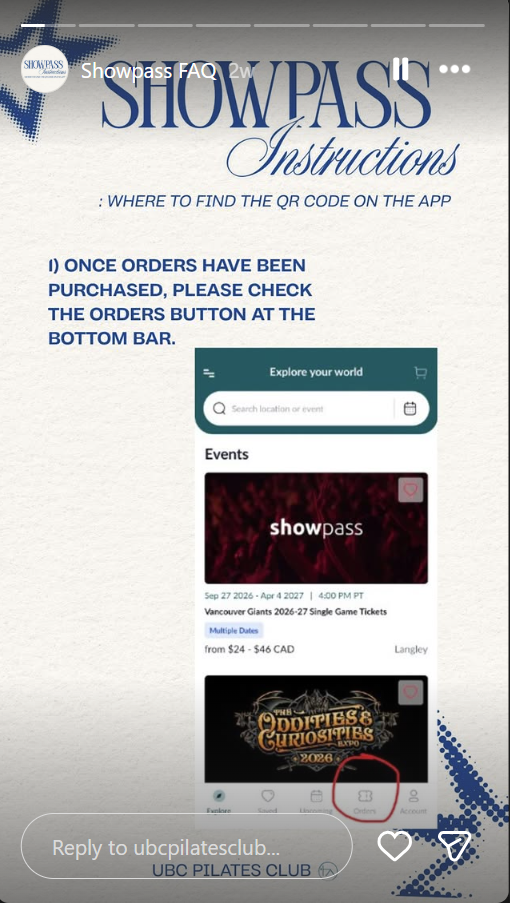
1. Once your order is purchased, tap Orders at the bottom bar.
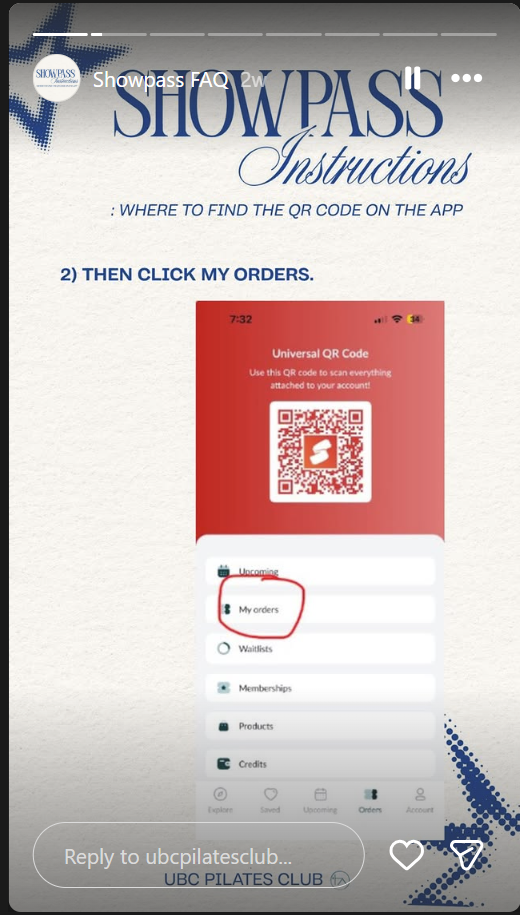
2. Tap My Orders.
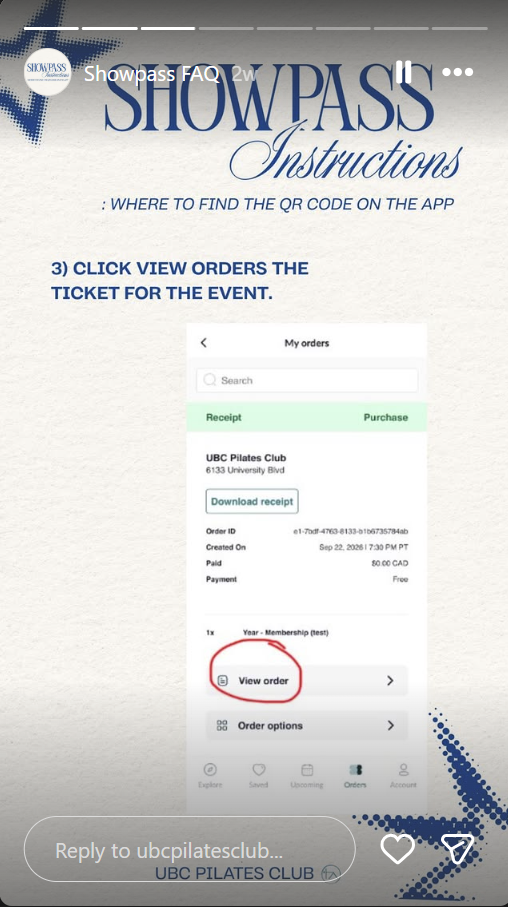
3. Tap View Order on your membership.
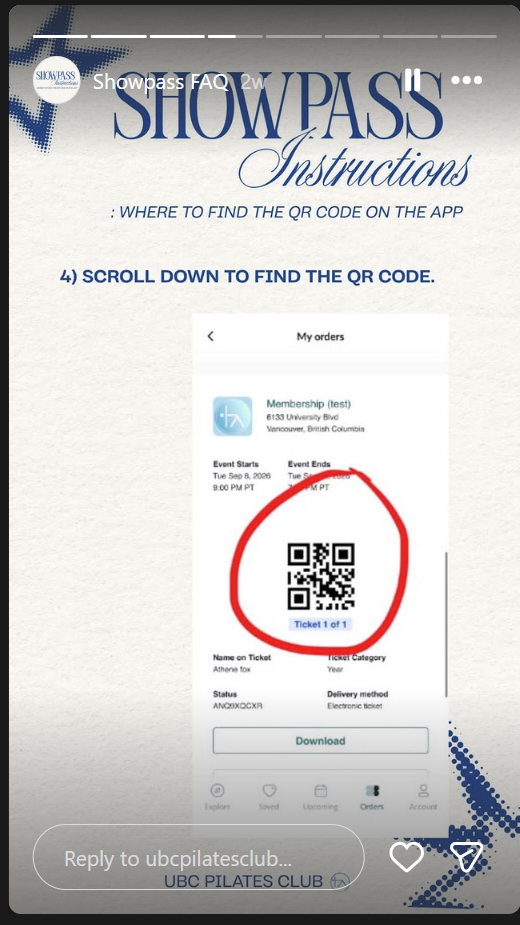
4. Scroll down to find your QR code.
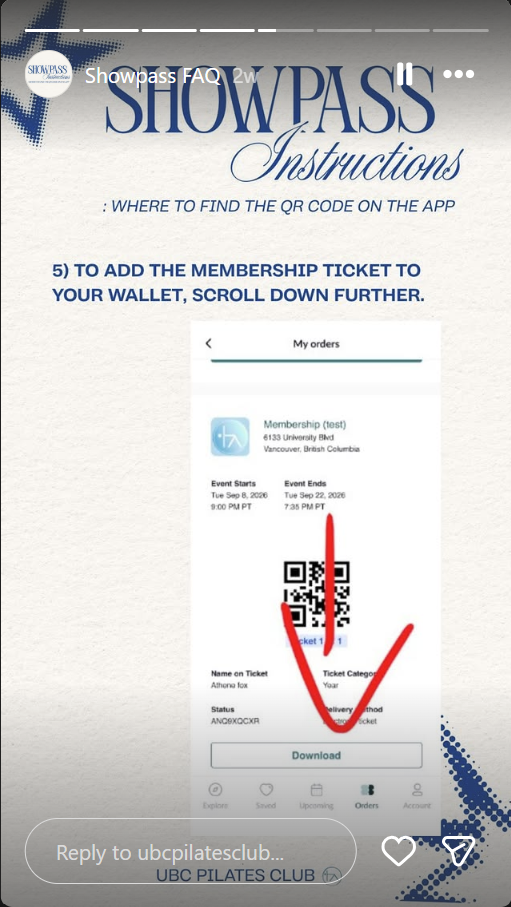
5. To add your membership to your wallet, scroll down further.
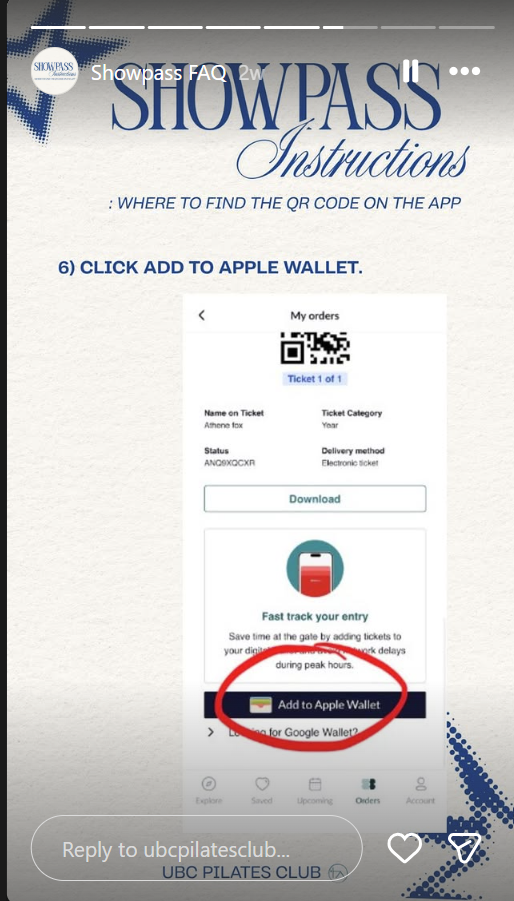
6. Tap Add to Apple Wallet (or Google Wallet).
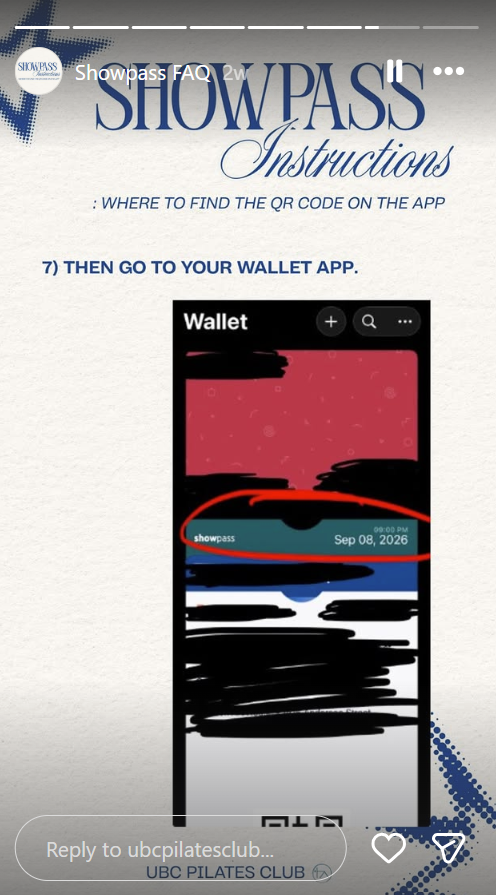
7. Open your wallet app and find the Showpass membership.
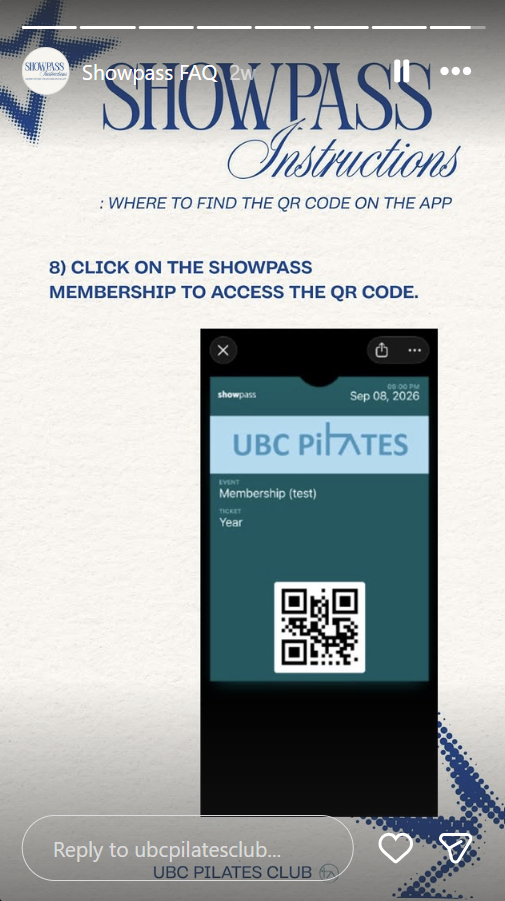
8. Tap the membership to show your QR code at check-in.
Group & Event Services
Discover the benefits of Pilates with our group classes! Our instructors offer accessible classes for all levels; you will have fun whether you are beginner or advanced.